Blue Icon (Tianjin) Technology Co., Ltd.

RS485/422 PTZ Keyboard Controller For Offer

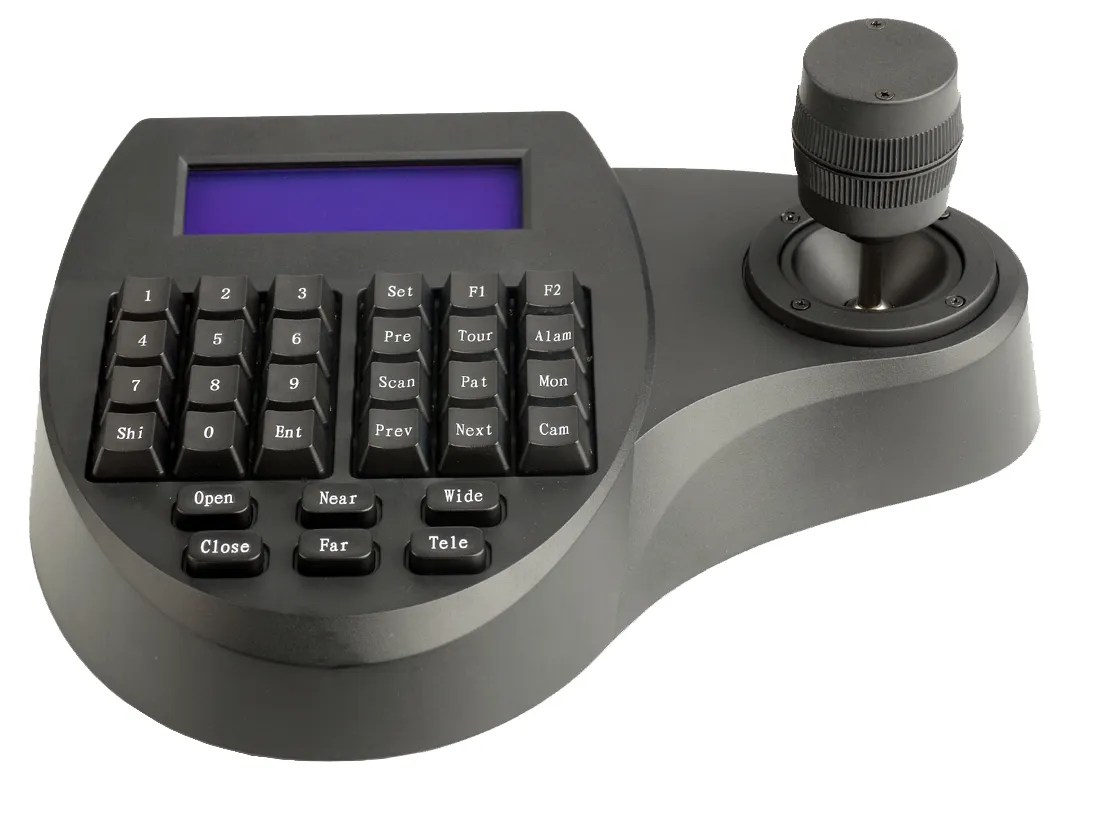
K7203 PTZ keyboard controller can be used for enterprise-class security and video conferencing, and fully supports Pelco-D/P protocols. With the high-precision four-dimensional Hall joystick, users can achieve precise control of pan tilt unit without delay. The device integrates dual interfaces of RS485/RS422 serial port, which can realize centralized management of large-scale monitoring network and one-stop supply solution.

Protocol


Pelco D/P

Interface


RS485/RS422

Access


Max. 128 Devices


PTZ Keyboard Controller Features

Multi-Protocol Hybrid Control Compatibility

This PTZ keyboard controller has built-in network and analog dual control stack, which is compatible with ONVIF network protocol and VISCA and Pelco-D/P serial port protocol. This means that the purchaser does not need to replace the old analog ball machine, and can manage the old analog equipment and the latest network HD cameras at the same time on a single controller, saving about 40% of the equipment upgrade cost.

Four-dimensional Hall induction rocker technology

Industrial-grade four-dimensional Hall sensor joystick, providing X, Y, Z axis and zoom control. Compared with traditional potentiometer joysticks, the non-contact design of the Hall sensor eliminates physical wear and tear, and increases the service life of the joystick to more than 5 million operations. Accurate damping adjustment reduces the picture jitter rate by 85% when tracking moving objects at more than 20 times the telephoto end.

Ultra-long Distance Anti-interference Transmission

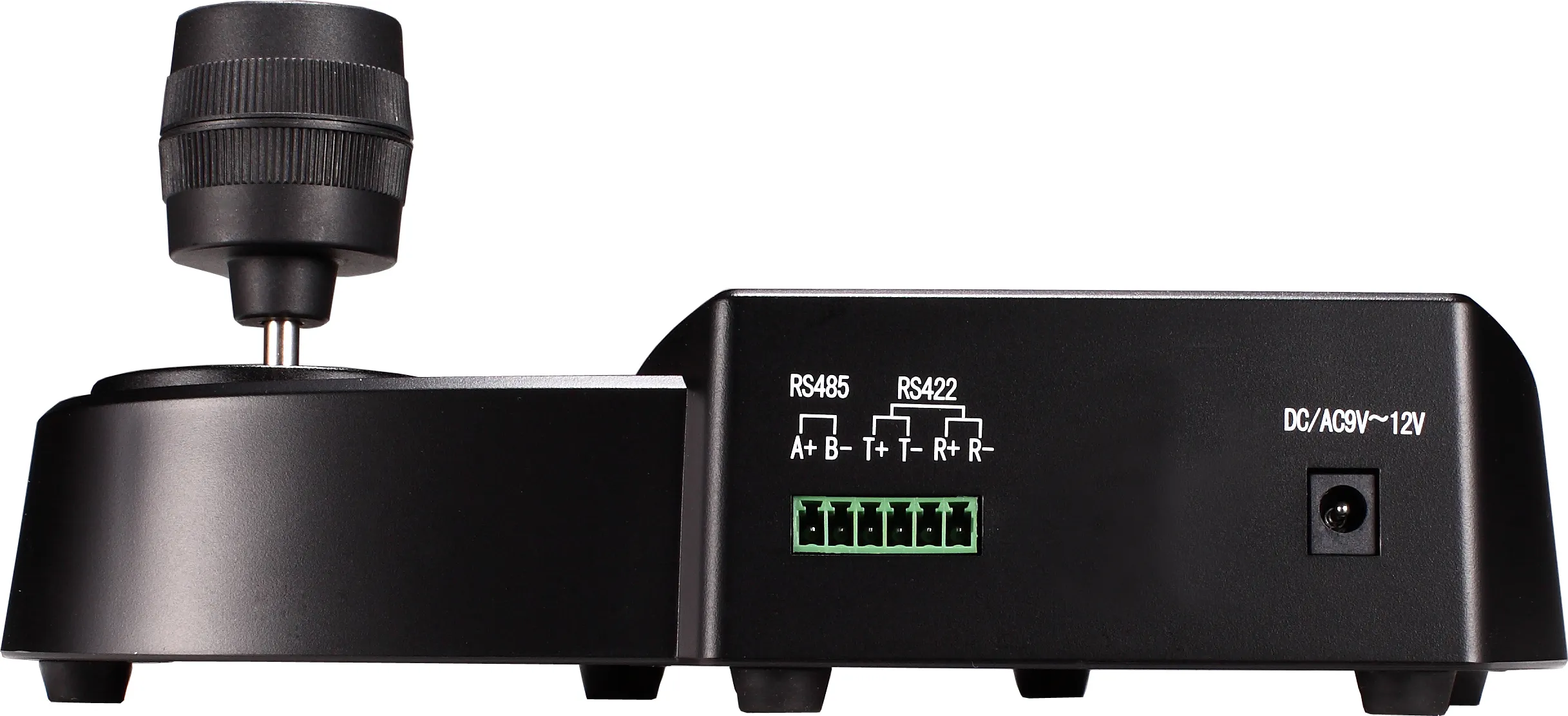
For large-scale park monitoring scenarios, the RS485 interface of the controller adopts independent photoelectric isolation design, which supports stable transmission of control signals within a range of 1200 meters and effectively suppresses ground loop interference and surge impact. At 9600bps baud rate, the bit error rate is less than one in 100,000, ensuring immediate response and accurate execution of remote PTZ commands.

OLED HD Status Display

Equipped with industrial blue screen liquid crystal display module, can real-time display the current control of the camera ID, the use of the protocol type, baud rate settings and operating instructions status. The high-contrast screen design ensures that the operator can clearly read the data in the low-light environment of the monitoring room or outdoor bright light, avoiding setting errors caused by blind operation.

255-channel device addressing capability

The system is equipped with high-performance processing chips, and a single PTZ keyboard controller support addressing and controlling up to 255 front-end devices through LAN or bus mode. Combined with the fast digital keypad, security personnel can quickly switch to any designated camera screen within 1 second, which greatly improves the emergency response speed of large-scale surveillance systems.

Adaptive network configuration function

In network control mode, the device supports automatic search for ONVIF devices in the LAN and automatically assigns IP addresses. These 1 functions shorten the initialization configuration time of the system with hundreds of cameras from several hours to less than 20 minutes, completely solving the cumbersome process of traditional controllers that need to manually enter IP and port numbers one by one.

PTZ Keyboard Controller Detailed Specifications

Parameter categoriesSpecifications
Product Name RS485 PTZ keyboard controller
Control ProtocolPELCO-D, PELCO-P
Control InterfaceRS422, RS485
Joystick type3D joystick 
Display screenIndustrial-grade LCD screen
Number of connectionsSupports up to 255 devices
Communication baud rateAdjustable speeds of 2400bps, 4800bps, 9600bps, 19200bps, and 38400bps.
Operating distanceRS485: 1200 meters
Power supplyDC 9-12V / 350mA 
Operating temperature-10 degrees Celsius to 55 degrees Celsius
Button lifespanMore than 1 million times
Shell materialAnodized aluminum alloy front panel + ABS back cover


PTZ Keyboard Controller Comparison

PTZ Keyboard Controller Comparison

Eliminate multi-brand equipment compatibility barriers

Many companies have existing monitoring systems mixed with different brands such as Sony, Panasonic and Hikvision. bit-cctv controller has built-in extensive protocol library and custom instruction set, which solves the pain point that the purchaser is forced to replace the camera or use multiple keyboards because the new equipment is not in agreement with the old system..

Relieve hand fatigue of security personnel

In view of the thousands of turning operations required by the monitoring center operator every day, the bit-cctv adopts an ergonomic palm rest design and a low damping Hall rocker. We have solved the risk of operator wrist soreness and tenosynovitis caused by long-term use of high-damping mechanical joysticks, improving personnel productivity and comfort..

Simplify the difficulty of cross-network equipment configuration

In the complex network architecture of large enterprises, cross-network segment control is often extremely complex to set up. The bit-cctv controller supports cross-network IP search and static routing settings, solving the pain point faced by IT procurement leaders where the complex network architecture makes equipment undetectable and requires repeated debugging by professional network workers..

PTZ Keyboard Controller Target audience

Director of Enterprise Park Security Center

Director of Enterprise Park Security Center

It is suitable for managing security leaders in large industrial parks, office buildings or logistics and warehousing centers. The PTZ keyboard controller can centrally control hundreds of ball machines distributed in a wide area, helping the supervisor to quickly lock the scene screen through the joystick when an emergency occurs, and carry out no dead angle tracking.

Read Application Case
IT purchaser of video conferencing system

IT purchaser of video conferencing system

Suitable for IT departments responsible for setting up telemedicine, corporate boardrooms or distance education systems. The product’s precise VISCA protocol compatibility makes it ideal for controlling professional PTZ cameras in conference rooms, ensuring smooth speaker close-ups during meetings without mechanical noise.

Read Application Case
Radio and television live broadcast and activity director

Radio and television live broadcast and activity director

Camera controllers for live church broadcasts, sports broadcasts, or studios. With the variable speed control function of the four-dimensional rocker, the guide can realize the extremely slow movie-level push-pull panning lens effect, solve the need for delicate mirror movement that cannot be realized by ordinary keyboard and mouse operation, and improve the professional texture of the live broadcast screen.

Read Application Case
Urban traffic monitoring operator

Urban traffic monitoring operator

It is suitable for system integrators or operation and maintenance departments responsible for urban road monitoring and highway bayonet management. The product’s high durability and RS485 long-distance transmission capacity enable it to adapt to the high-intensity use environment of the traffic control center and solve the problem of control failure caused by long-distance wiring signal attenuation.

Read Application Case

Instructions for use PTZ Keyboard Controller

Hardware connection and power supply startt

Connect the camera to the switch through a network cable, or connect to the RS485 terminal of the controller through a twisted pair (note the positive and negative poles). Plug in a 12V power adapter or connect a POE switch for power supply. Wait for the screen display initialization to complete and ensure that all devices are on the same LAN segment or have the same baud rate..

Add network or analog devicest

Enter the main menu and select “Add Device”. For network cameras, select “automatic search”, the system will list all online ONVIF equipment, confirm the IP and save. For the analog ball machine, manually enter the corresponding logical ID number, selection protocol (such as PELCO-D) and baud rate (such as 9600)..

PTZ rotation and zoom controlt

Enter the ID number of the camera you want to control in the digital keyboard area and press the “OK” key. At this time, push the right rocker to control the pan/tilt to rotate up and down, left and right, and rotate the knob on the top of the rocker to zoom the lens closer or farther. The greater the pushing range of the rocker, the faster the rotation speed of the gimbal..

Setting and calling of preset bitst

Adjust the camera to the key monitoring position, press the “Set” key and enter a number (such as 1), and the current position can be saved as the preset position 1. When you need to view the position, just enter the number 1 and press the “call” button, the camera will automatically quickly rotate to the set angle..

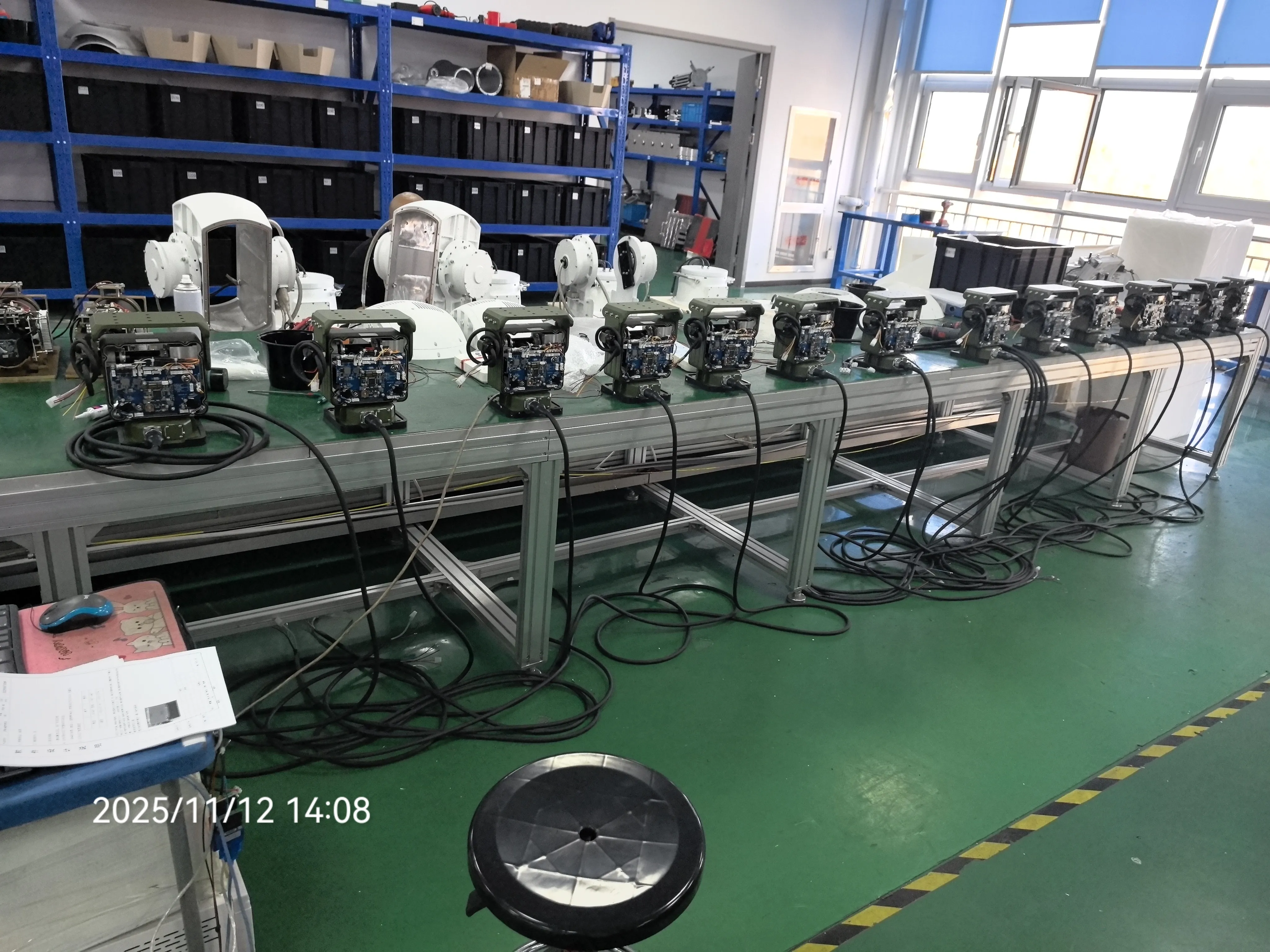
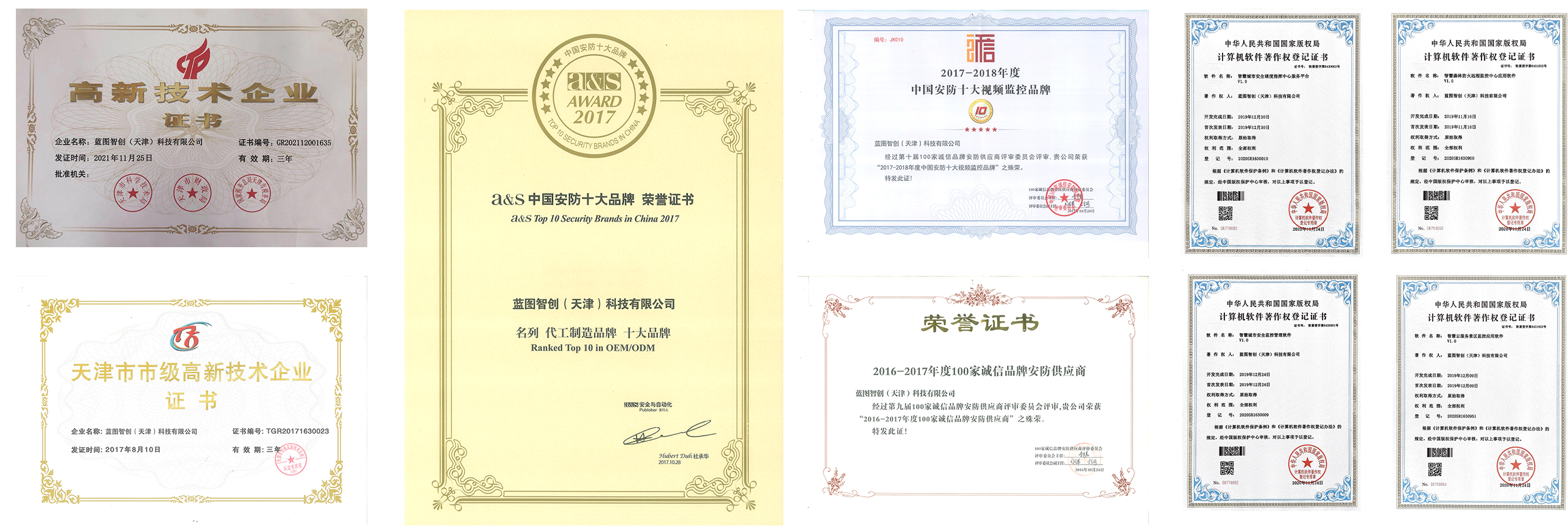
Factory and Certificate

FAQ

As long as your camera supports the standard ONVIF network protocol, or VISCA, PELCO-D, PELCO-P serial protocol, the controller is compatible. This covers more than 95% of the mainstream brand security cameras and video conferencing cameras on the market.

Support. This equipment has a standard POE power supply module. If your network switch supports POE function, you only need to connect 1 network cables to realize data transmission and equipment power supply at the same time, without additional connection of 12V power adapter, and the wiring is cleaner.

Please check the following three points: 1. Whether the positive and negative poles of the connection terminals are connected in reverse; 2. Whether the baud rate settings of the controller and the camera are completely consistent (for example, both are set to 9600);3. Whether the address of the physical dip switch of the camera is consistent with the ID number selected on the controller.

is adjustable. This PTZ keyboard controller uses a vector shift rocker. How hard and how much you push the stick determines the speed of rotation. Light push is a slow fine adjustment, and heavy push is a fast rotation. In addition, you can also limit the maximum speed globally in the settings menu.

In hardware logic, the controller supports addressing a maximum of 255 device IDs. However, in the actual operation experience, in order to ensure the effectiveness of operator management, it is recommended that the number of active cameras managed by a single controller be controlled within 64 to facilitate memory and fast switching.

Support. We provide firmware upgrade service based on USB interface or WEB web terminal. When there is a new protocol standard update or function optimization, you can obtain the latest firmware package from Bit-cctv official channels, upgrade through a computer connection, and maintain the advanced nature of the device.

Leave us Message

We use cookies to offer you a better browsing experience, analyze site traffic and personalize content. Part of the tracking is necessary to ensure SEO effectiveness,
By using this site, you agree to our use of cookies. Visit our cookie policy to learn more.
Reject Accept