The analog ptz controller is located in the PTZ control chain: after the human input, it also includes the controller or software, communication interface and transmission, device protocol, PTZ driver, and camera and lens. A joystick or keyboard is merely an input method and cannot be used to determine the underlying communication interface.
Video output is viewed separately from gimbal commands
The output of analog video, HD-SDI, and network video instructions cannot be used to determine the transmission method of PTZ commands; the BIT-PT520 supports all three types of video output. The serial PTZ controller sends gimbal commands via RS-232, RS-422, or RS-485. When connecting to a computer, a USB to serial port, serial server, or protocol converter may be required.
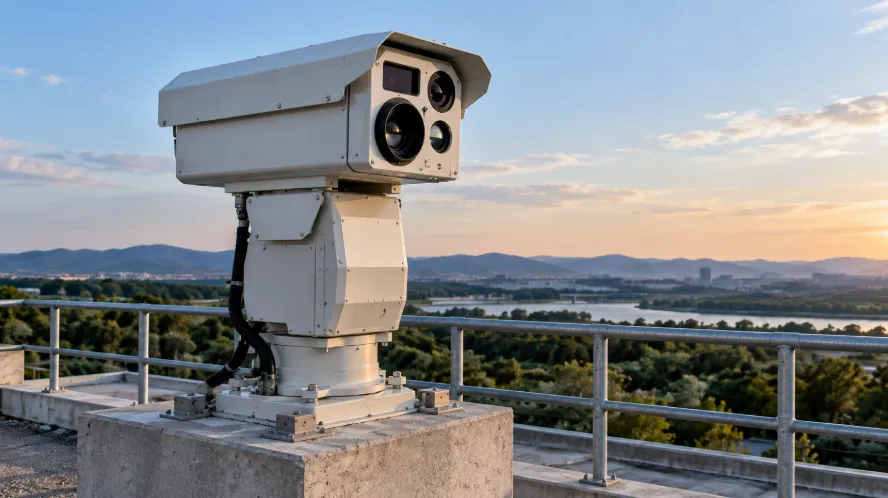
Interfaces, protocols, and model configurations
RS-232, RS-422, and RS-485 describe the electrical layer, while Pelco P and Pelco D are gimbal command protocols. The BIT-PT410, PT520, PT540, and PT850 all support Pelco P/D, but the communication interface varies depending on the model and configuration: PT410 is RS-485 or RS-422; PT520 is RS-485, with optional RS-422 or RJ45; PT540 is RS-485, with optional RS-422, and the network configuration is RJ45; PT850 is RS-485, RS-422 or RJ45 are available. The RJ45 in the model list contains interface configuration information, and protocol compatibility cannot be confirmed solely by the interface name.
The address of these four models can be set to 1~255 using the DIP switch, and the Pelco P/D is also selected by the DIP switch; the DIP switch can be used to select 2400, 4800, 9600 or 19200 bps for multi-protocol gimbal models. If the device is uncontrolled, the wiring, address, protocol, and baud rate can be checked.
Prepositioning and automatic operation
An independent 2D gimbal is responsible for pan and tilt, while zoom is done by a camera or lens control chain. Presets save the level, pitch position, lens focal length, and focus; cruise calls presets sequentially, scans back and forth between the left and right boundaries, and the watch function performs preset actions after a period of idle time.
The PT410 has 8 cruise routes, each with up to 32 preset positions; the PT520 and PT540 each have 1 cruise route and 1 scan route; and the PT850 has 8 cruise routes and 8 scan routes. The corresponding preset calls for the four are: cruise number 98; scan set the left and right boundaries with numbers 92 and 93, and start with number 99; after completing the watch setting, switch the watch with number 94.



 English
 日本語
日本語 한국어
한국어 français
 Deutsch
 Español
 italiano
 русский
 português
 العربية
 tiếng việt
 ไทย
ไทย čeština
 dansk
dansk Svenska